Events and automations
Event system
Section titled “Event system”Code: backend/src/justai/events/.
- Typed and versioned: every event type is in the catalog (
events/catalog.py, available atGET /api/events/catalog) with description, durability, priority, sensitivity and optionally a payload schema. Plugins register their own types only underplugin.<id>.*; they appear in the catalog while the plugin runs (also from the sandbox, ownerplugin:<id>). - Fields:
id(UUIDv7),type,ts,source(kind, room, device, endpoint, session, plugin),payload,correlation_id,caused_by,hop,dedup_key,priority,sensitivity,durability. - Bus (
events/bus.py): every subscriber has its own bounded queue and its own worker. A slow or failing subscriber blocks nobody. Duplicates (same ID or samededup_keywithin the TTL) are dropped. - Persistence: durable events are stored by the
EventStorein PostgreSQL before delivery (retention configurable, default 90 days). - Loop protection: follow-up events inherit
hop + 1andcaused_by. Above the global hop limit events are stopped andsystem.event_loop_detectedis reported. - Display: admin UI → Diagnosis (live stream over WebSocket, filter, history). Manual
triggering for tests:
POST /api/events.
Automations
Section titled “Automations”Code: backend/src/justai/automation/. An automation is a validated JSON document (model:
automation/model.py, schema: GET /api/automations/schema):
{ "trigger": {"type": "event", "event": "vision.person.recognized", "match": {"person_id": "person-…"}}, "conditions": [{"type": "time_window", "start": "07:00", "end": "22:00"}, {"type": "no_active_conversation", "room": "trigger"}], "actions": [{"type": "assistant.invoke", "instruction": "Greet the person by name.", "room": "trigger"}], "options": {"once": true, "cooldown_s": 0, "max_runs_per_hour": 20}}Triggers
Section titled “Triggers”| Type | Fields |
|---|---|
event |
event (wildcards allowed, e.g. vision.object.* or plugin.gen-rain-monitor.*), match (payload fields must be equal), optionally room_id |
cron |
5 fields: minute hour day month weekday (0 = Sunday) |
interval |
seconds (≥ 30) |
at |
point in time; fires exactly once and the automation is disabled after the run |
Times apply in the time zone from Settings → System (default Europe/Rome).
An at automation remembers when it last fired and only fires again for a later point in
time. (Before this, “remind me in a quarter of an hour” repeated the reminder every few
seconds after it was due.)
Conditions
Section titled “Conditions”time_window (start, end, optionally weekdays), payload (path, operator
== != > >= < <= in contains, value), no_active_conversation (room), visual_state
(state detector is in state X).
Actions
Section titled “Actions”| Type | Effect |
|---|---|
assistant.invoke |
starts a proactive conversation session without wakeword in the room (trigger = room of the triggering event). The endpoint whose camera triggered the event is preferred. The instruction goes to the model; with start_conversation: true (default) the session then listens normally, with false only for 4 s. |
speak |
say a text in the room. Default (start_conversation: true): in the assistant’s voice as the start of a conversation; the person can answer right away. false: plain announcement through the local speech output. |
display.show |
show a document on the display in the room |
tool |
call a tool with arguments (permissions of the automation), e.g. audio.listening to end a listening pause |
event.emit |
publish an own event |
wait |
wait (max. 1 h) |
The text of speak and the instruction are written by the model in the language of the
conversation in which the automation was created.
Options
Section titled “Options”once (disable after the first successful run; enabling again re-arms the rule),
cooldown_s, priority (0–3), max_retries, not_before (ignore the trigger before,
e.g. “when you see me from tomorrow 9 am”), expires_at (disable afterwards),
max_runs_per_hour. Times without a time zone apply in the system time zone.
Execution
Section titled “Execution”event ─► trigger match (in memory) ─► conditions ─► protection: ignore own events · chain length ≤ 4 · once · cooldown · runs/hour ─► job in the Postgres queue (survives restarts, retries with backoff) ─► actions one after another ─► run log (automation_runs) ─► automation.run.* eventsOutput of an automation follows the same rules as conversations: the room comes from the trigger or the configuration, never from model output.
Creating
Section titled “Creating”- In conversation: tool
automation.create, e.g. “The next time you see Anna, greet her by name.” Rules onvision.person.recognizedautomatically get the conditionaway_s >= 600(not seen for at least 10 minutes), otherwise the greeting would fire at some point while the person is still sitting in front of the camera (this happened in the live test). The model can set other intervals (“when I come home” ≥ 3600, “every time” ≥ 0). The tool accepts person names (resolved to the person ID),self(the speaking, recognised person) andhere(the current room). Missingtypefields are filled in from the fields. Validation errors go back to the model with details so it can correct them. - Events of plugins: the tool
events.typeslists all event types including those of plugins, so “When it starts raining, tell me in the living room” works with a self-developed rain plugin (PLUGINS.md). - By other tools: a listening pause (“stop listening for an hour”) creates a one-time
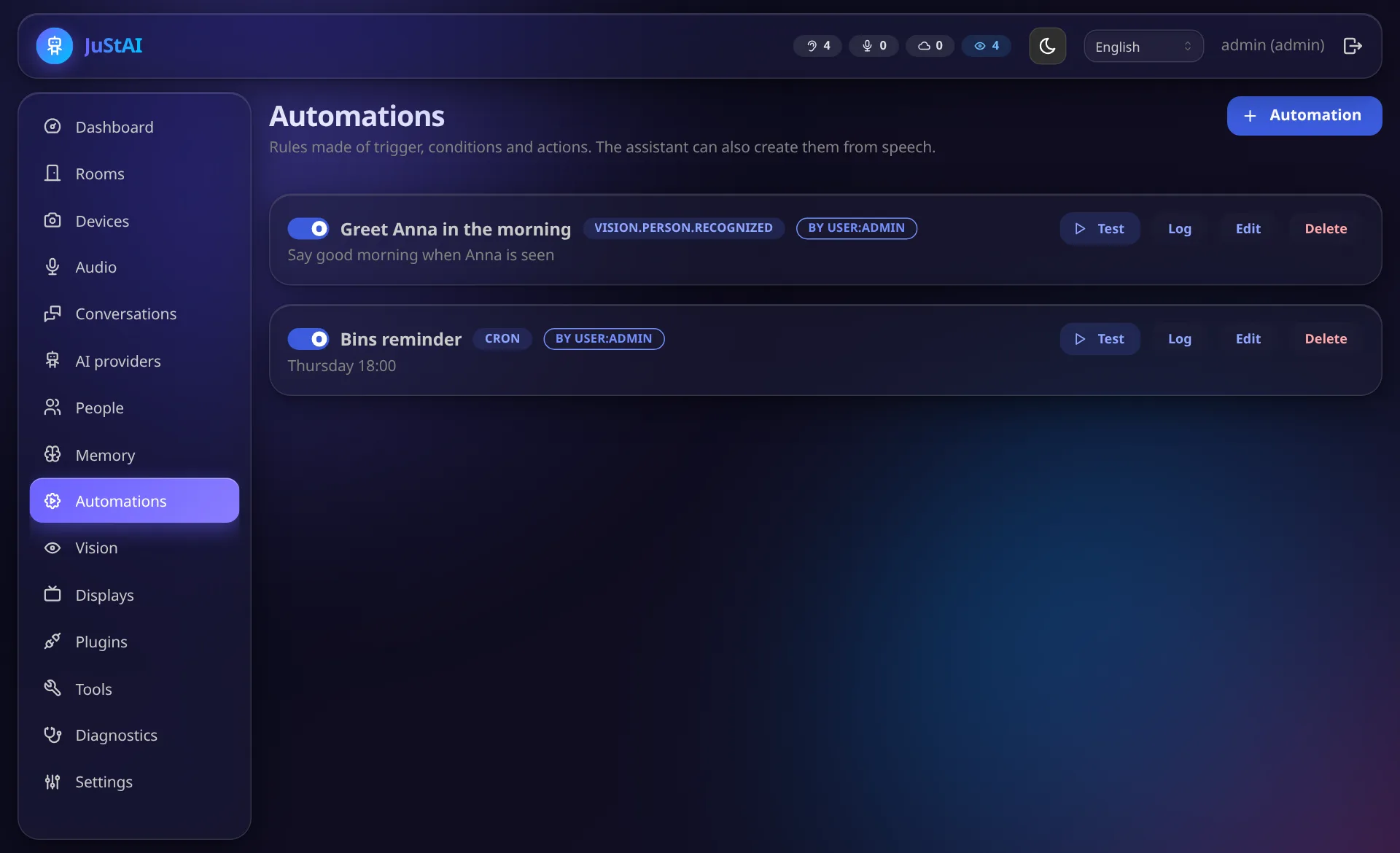
atautomation that switches listening on again. - Admin UI → Automations: list, JSON editor with schema validation, enable/disable, Run now, run history.
- Tools for the assistant:
automation.list,automation.set_enabled,automation.delete(with confirmation).
Tested
Section titled “Tested”- Unit (
tests/unit/test_automation_model.py): valid/invalid definitions, filling in missing types, cron matching, comparison operators,atfires only once. - E2E (
tests/e2e/test_simulated_rooms.py::test_automation_greets_recognised_person_in_the_trigger_room): an (injected)vision.person.recognizedin the living room starts a proactive session with a greeting there, the kitchen stays silent,oncedisables the automation afterwards. - Unit:
not_before/expires_atwith local times without a time zone. - Live by text chat (2026-10-16): “The next time you see me from tomorrow at 9:00, please
remind me to take out the rubbish.” (in German) results in a person trigger,
speak,once,not_before: 2026-10-17T09:00:00and the absence condition. - Live by voice (2026-10-20): “Remind me in a quarter of an hour to switch on the dryer” is said once after the fix; the listening pause ends automatically after the set time (one run, then disabled).
- Manually against the Docker instance: “The next time you see Anna Test, please greet her
by name.” creates a correct automation (event trigger with resolved person ID,
assistant.invoke,once). - The complete chain with real face recognition at the camera has not been tested yet (VISION.md).